The VPS List section in the new ThinkHuge Partner Portal provides a centralized view of all your active VPS instances, making it easy to access and manage your servers from one place. This section allows you to quickly review your VPS details, check the current status of each server, and access the available management options.
Whether you manage a single VPS or multiple servers, the VPS List gives you a clear overview of your infrastructure and provides a convenient starting point for accessing individual VPS settings and actions.
Log in to your partner's account via: https://partners.thinkhuge.net
Under Infrastructure section, look for the VPS tab and click on Products
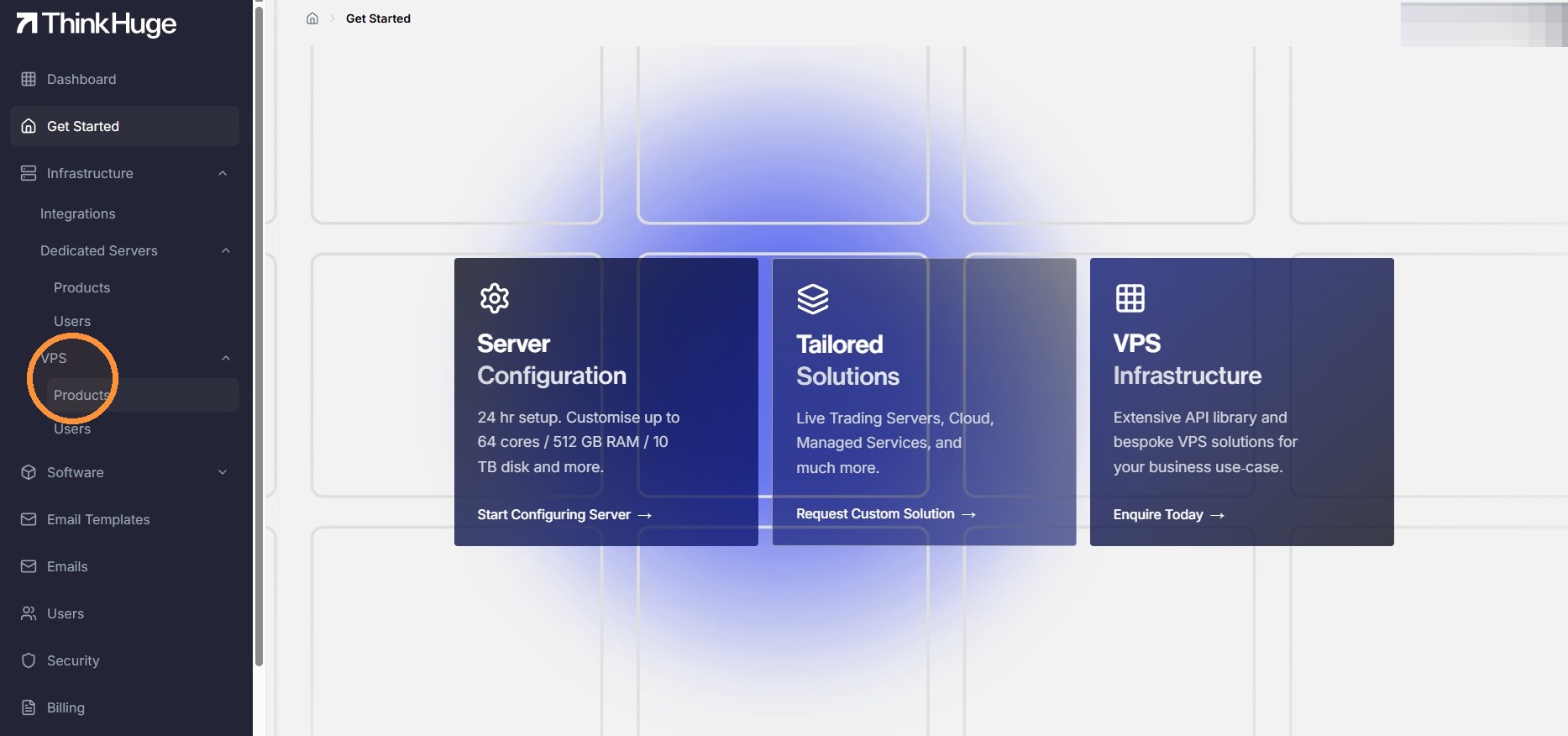
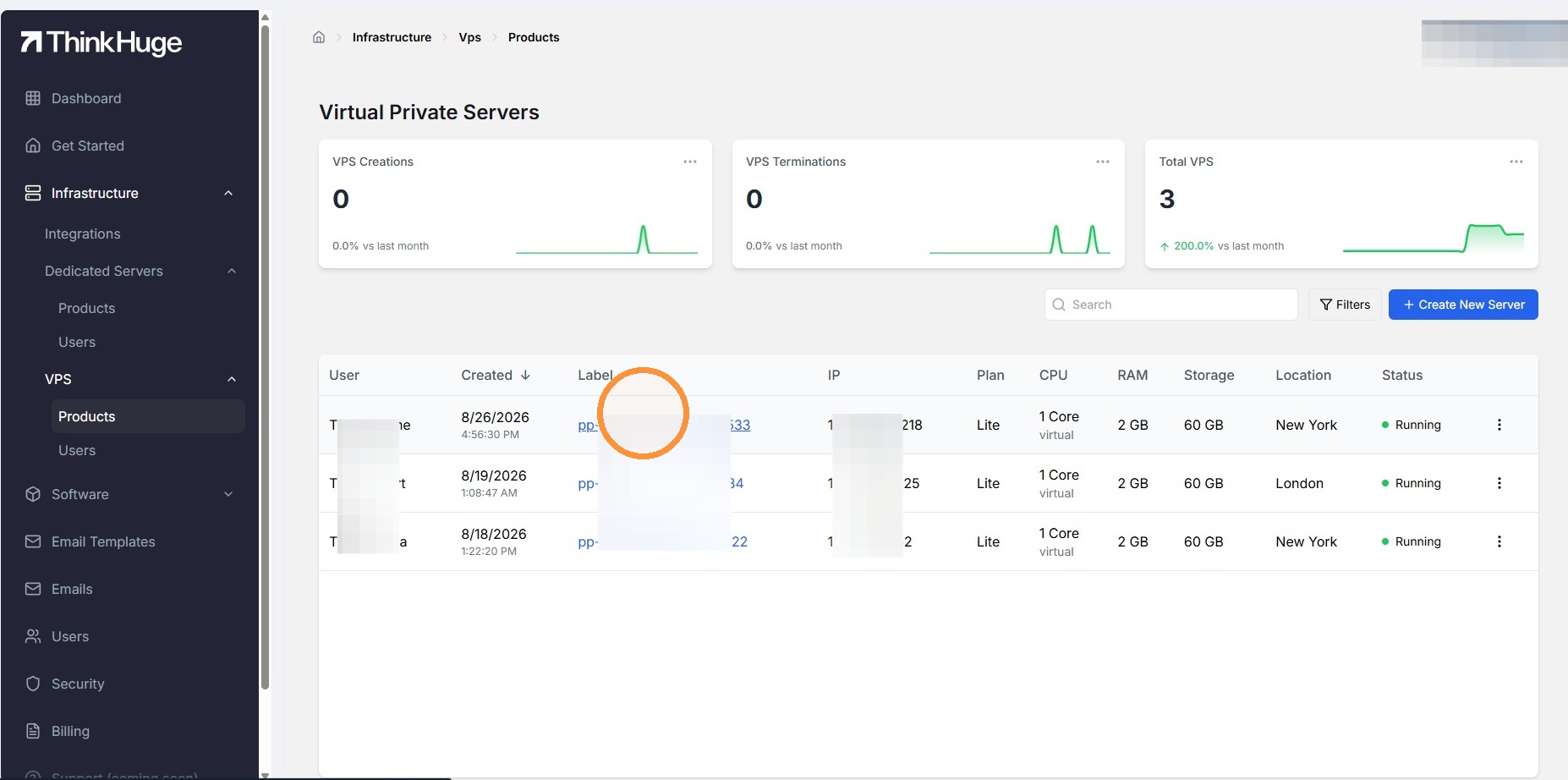
From Products section, you'd be able to view the existing list of all VPS subscription and their corresponding details.
You can open the VPS product by clicking on the Label section.
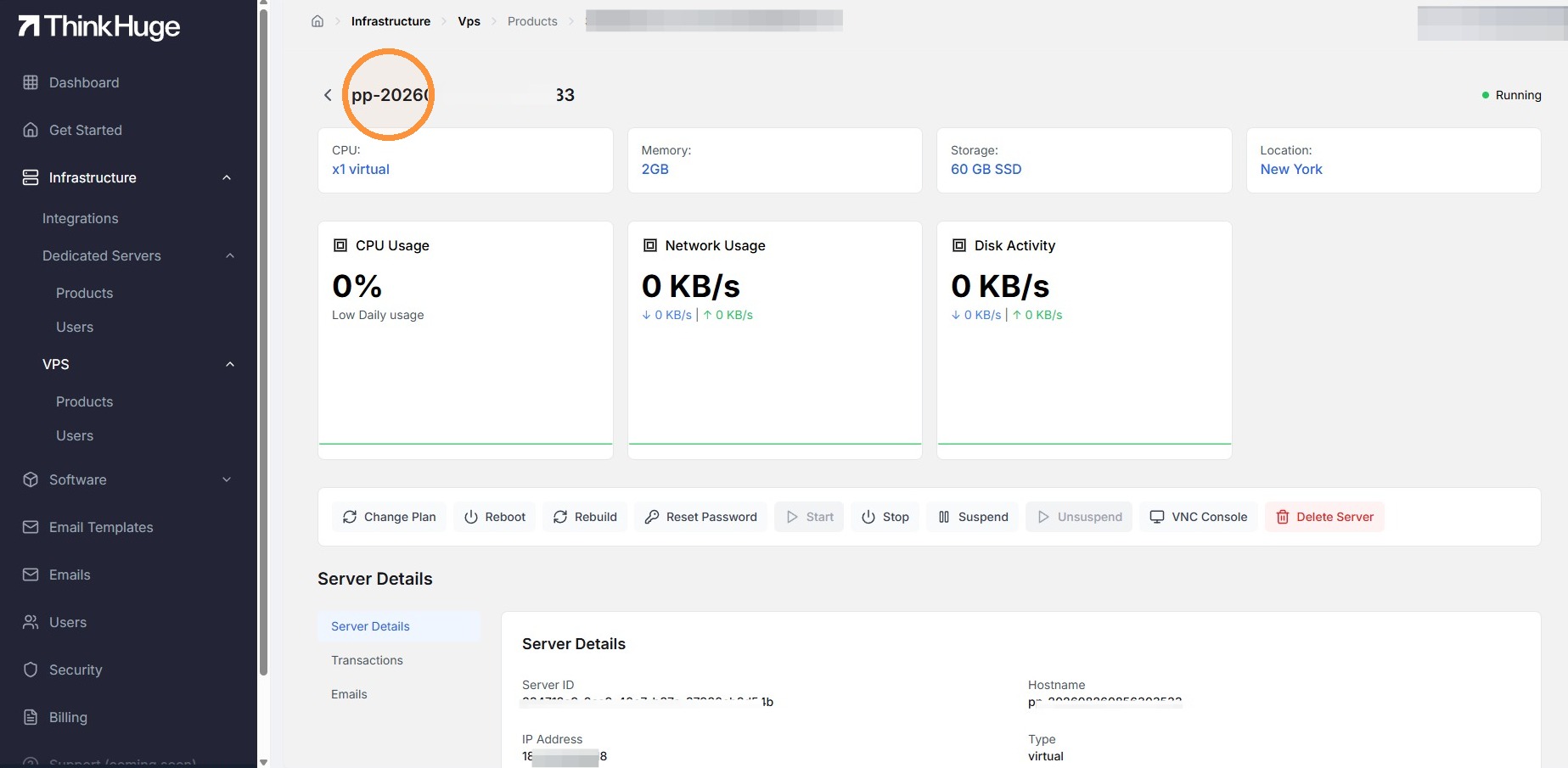
It should open the vps profile showing the server specification and the management access where you can change plan, reboot, rebuild, reset password, start, stop, suspend, unsuspend and even delete the server.
This section also allows you to use the VNC Console t connect to the server without using a separate remote desktop connection.
The VPS List is your central starting point for viewing and managing your VPS instances in partner portal. From here, you can quickly identify your servers, review their key details, and access the management options available for each VPS.
If you need assistance navigating the portal or are unsure about any of the available VPS options, our Support Team is available to guide you through the process.
Was this article helpful?
That’s Great!
Thank you for your feedback
Sorry! We couldn't be helpful
Thank you for your feedback
Feedback sent
We appreciate your effort and will try to fix the article